
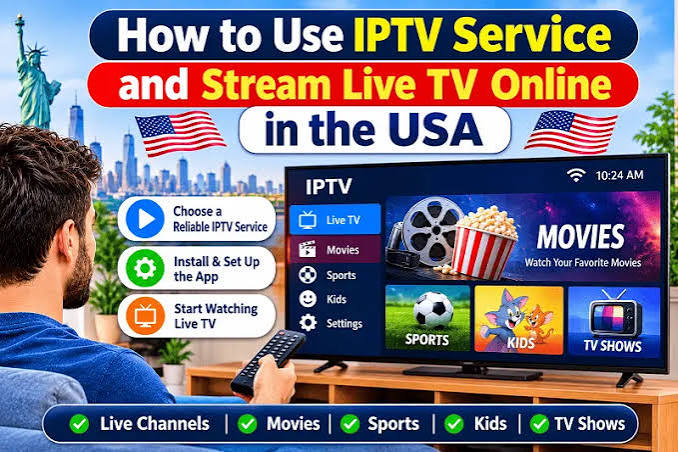
You installed a player app, opened it for the first time and it asked for one thing: a playlist URL. If you have never seen the word M3U before, that moment is confusing. This guide explains in plain English what an IPTV M3U play list is, where you get one and how to load it in six steps.
You do not need any technical background. If you can copy and paste a link, you can do everything on this page. And if you get stuck, we do it with you on WhatsApp.
Quick answer: an IPTV M3U play list is a small text file, or a link to one, that tells your player app where each channel lives. You paste the link into the app, the app reads it, and your channels appear as a list. A good link comes from your provider and is updated automatically.
Need a working link to test in your app today?
Get a free trial linkIn this guide
What an IPTV M3U play list really is
M3U started life as a simple format for music playlists. It is nothing more than a text file. Each entry has two lines: one with the name of the channel and one with the address of its stream. You can read more about the format on its Wikipedia page.
IPTV uses the same idea. Instead of songs, the file lists TV channels, movies and series. Your player app opens the file, reads the names, groups them into categories and shows you a channel list. When you press a channel, the app opens the address behind it.
That is why the app and the list are two separate things. The app is empty when you install it. The list is what fills it. One app can read many different lists, and one list can be opened in many different apps.

M3U, Xtream login or MAC: three ways in
An IPTV M3U play list is only one of three common ways to connect an app to a service. Knowing the difference saves a lot of time, because each app prefers one of them.
| Method | What you enter | Typical apps |
|---|---|---|
| M3U link | One long URL | Apps that ask for a playlist |
| Username and password | Two or three short fields | 8K VIP Player, TiviMate |
| MAC activation | Nothing, you send us the MAC shown on screen | IBO Player, BOB Player, Smart IPTV, Set IPTV, Net IPTV, Hot Player |
All three lead to the same channels. With our service, most customers use a username and password or a MAC activation, because they are quicker to type with a TV remote. If your app only accepts a link, we send you an IPTV M3U play list for your line, and we can build a custom one with only the countries and packages you want.
6 steps to load your IPTV M3U play list
Step 1: Get your link from your provider
Ask for the playlist link of your own line. It usually arrives by message. Do not type it by hand: one wrong character and nothing loads. Copy it.
Step 2: Install a player app
Pick an app made for your device. Our Firestick app comparison helps you choose on Fire TV, and the same apps exist on Android boxes and many smart TVs.
Step 3: Choose “Add playlist”
Open the app and look for a button named Add playlist, New playlist or Add user. If the app offers several types, choose the one called M3U URL or Playlist URL.
Step 4: Paste the link and give it a name
Paste the IPTV M3U play list link into the URL field. The name field is only for you, so write something simple like “Home TV”. Press Save or Next.
Step 5: Wait for the first load
The first load is the slowest, because the app reads every channel, movie and series. A large library can take a minute or two on a small stick. Later starts are much faster.
Step 6: Check three channels
Open one sports channel, one news channel and one movie. If all three play, your setup is finished. If something fails, the table below will most likely have the answer.
Adding the TV guide
A list of channels is useful. A list of channels with a program guide is much better, because you see what is on now and what comes next. The guide is called EPG, for Electronic Program Guide.
Many apps load the guide automatically from the same line. Others have a separate field named EPG URL. If your guide is empty after ten minutes, tell us which app you use and we send the right setting.
8 problems and their fixes
| Problem | Likely cause | Fix |
|---|---|---|
| “Invalid URL” | A missing or extra character | Copy the link again instead of typing it |
| List loads but is empty | Wrong playlist type selected | Choose M3U URL, not file |
| Stuck at loading | Slow device or very large list | Wait two minutes, then ask us for a shorter custom list |
| Channels freeze | Weak Wi-Fi | Use 5 GHz or an Ethernet cable |
| No sound | Audio setting in the app | Switch the audio decoder in the app settings |
| Guide is empty | EPG not loaded yet | Refresh the EPG or ask us for the EPG setting |
| Worked yesterday, not today | Line expired or link changed | Message us, lines never renew by themselves |
| Works on phone, not on TV | Different app or old version | Update the app or try the one we recommend |
Most problems with an IPTV M3U play list come from the first two lines of that table. A link is long, and a single missing letter breaks it.
The truth about free lists
Search for a free IPTV M3U play list and you will find thousands of pages. It is tempting, so here is what usually happens.
- They die fast. Public links are shared by thousands of people and often stop working within days.
- They are unstable. A stream that is free for everyone is overloaded exactly when you want it, during the big game.
- They can be unsafe. Some pages hide ads, fake download buttons or files you do not want on your device.
- Nobody answers. When a channel breaks, there is no one to write to.
A private IPTV M3U play list from a provider is different. It belongs to you, it is updated every day, and a real person answers when you need help. A free trial gives you the same comfort as a free list, without the risks.

What our list includes
- 58,000 live channels: every major USA network, plus sports, news, kids and Spanish channels.
- 179,000 movies and 49,000 series on demand.
- Full HD, 4K and 8K quality.
- Automatic daily updates, so you never replace the link yourself.
- VPN protection built in. It also works with your own VPN.
- Channels on request and a custom order of packages, channels and movies.
It works on Samsung, LG, Sony, Philips and Toshiba TVs, Apple TV, Firestick, Android boxes, MAG boxes, Formuler, smartphones, laptops and PCs. Supported apps include 8K VIP Player, IBO Player, IBO Player Pro, BOB Player, TiviMate, TiviMate IPTV Player Pro, Smart IPTV, Set IPTV, Net IPTV and Hot Player. The first app activation is free.
Plans and prices
The price is the same whether you connect with a link, a login or a MAC address.
- 12 months: $59 ($4.92 a month), + 1 extra month free
- 6 months: $38 ($6.33 a month)
- 3 months: $24 ($8.00 a month)
- 1 month: $14 ($14.00 a month)
No contract, no auto-renewal and a 30-day money-back option. Payment by PayPal, bank transfer, Revolut, crypto, MoneyGram, Western Union or Remitly.
Tell us your app and we send the right details for it.
Ask for my lineHow to get your subscription and your IPTV M3U play list
- Message us on WhatsApp with your device and your app.
- Receive a free trial. We send a link, a login or activate your MAC, depending on the app.
- Test it using the six steps above.
- Choose your plan of 1, 3, 6 or 12 months. We extend the same line, so your app keeps working without any change.
Every device has its own page of instructions in our IPTV setup guide, and the home page shows everything the service includes.

5 habits that keep your list healthy
Once your IPTV M3U play list is loaded, a few simple habits keep it working well for the whole length of your plan.
- Save the link in a safe place. Keep it in a note on your phone. If you ever reset your TV or change your stick, you paste it again and you are back in a minute.
- Do not share it. A line is made for one home. When the same link is opened in many places at once, streams start to fail.
- Update your app. Old versions of player apps are the most common reason a list that worked last month stops loading.
- Refresh the list after a holiday. If the device was off for weeks, use the refresh button in the app so it reads the latest version.
- Tell us what you watch. A shorter IPTV M3U play list with only your countries and packages opens faster and is easier to browse with a remote.
None of this takes more than a minute, and together these habits prevent most of the questions we receive. If you move to a new device, the same IPTV M3U play list works there too, so you never start from zero.
Keep reading: a playlist needs a good player, so compare the best IPTV apps, then use the seven checks in our guide to the best IPTV in USA before you subscribe.
M3U questions
What does M3U stand for?
It comes from “MP3 URL”. The format was created for music playlists and was later adopted for TV channel lists.
Is an IPTV M3U play list a file or a link?
It can be both. A file is saved on your device and never changes. A link points to a file on a server, so it updates by itself. For TV, a link is the better choice.
What is the difference between M3U and M3U8?
M3U8 is the same format saved with UTF-8 text encoding, which handles channel names in every language. Most apps accept both.
Can I open the list on my computer?
Yes. A media player on a laptop or PC can open the link, and many customers do that to test before setting up the TV.
How often should I update my list?
With a link from us, never. Channels and new releases are refreshed on our side every day.
Can I use one list on two devices?
You can set up your line on more than one device. Tell us what you own and we explain how it works for your line.
Why is my list so slow to open?
It contains a very large library. Ask us for a custom list with only the countries you watch, and it opens much faster.
Can you remove channels I do not want?
Yes. We can hide packages, change the order and put your favorites first.
Is my link private?
Yes. It is created for your line only. Do not share it publicly, because a shared link can stop working.
Do I need a VPN to use it?
No. VPN protection is built into our server, and the service also works with your own VPN.
What if my app does not accept links?
Then it uses a login or a MAC address. Send us the app name and we give you the right method.
Bottom line
An IPTV M3U play list is just an address book for your player app. Get a private link, paste it carefully, wait for the first load and check three channels. That is the whole job.
If you would rather skip the trial and error, send us the name of your device and your app. We give you the right details for it, whether that is an IPTV M3U play list, a login or a MAC activation, and you test everything free before you pay.
Two minutes on WhatsApp and your channels are on the screen.
Start my free trial