A Firestick costs less than a family dinner, plugs into any TV and fits in a pocket. That is why it has become the favorite streaming device in American homes, and why so many people ask the same question: what is the best IPTV for Firestick?
The honest answer has two halves. One half is the service that sends the channels. The other half is the app that plays them on your stick. Get one wrong and you spend your evening watching a loading circle. This comparison covers both, plus the Firestick models themselves, so you can make the choice once and enjoy it.
Quick answer: the best IPTV for Firestick is a stable service paired with a light app that needs only a username and a password. On most sticks we recommend 8K VIP Player first and TiviMate second. Use a 4K model if your budget allows, and test on your own stick before you pay.
Have your Firestick next to you? We can set up a free trial on it now.
Try it on my FirestickIn this guide
Service and app: the two halves of the best IPTV for Firestick
Think of it like a radio. The station broadcasts the music, and the radio set plays it. A great station sounds bad on a broken set, and a great set cannot fix a weak station.
With IPTV, the service is the station. It decides which channels you get, how stable they are on a busy night and how good the picture is. The app is the radio set. It decides how fast the list opens, how easy the menus are with a small remote and how much memory your stick has left.
When people complain that their stick is slow, the cause is usually one of three things: a heavy app, a weak Wi-Fi signal or an overloaded server. This guide looks at all three.
Firestick models compared
Every current stick can run the best IPTV for Firestick, but they do not all feel the same. The cheaper sticks have less memory, so big channel lists take longer to load. The 4K sticks have more memory and newer Wi-Fi, which matters more than the resolution itself.
| Model | Good for | Our advice |
|---|---|---|
| Fire TV Stick Lite / HD | A bedroom or kitchen TV | Works, but choose a light app and be patient with long lists |
| Fire TV Stick 4K | The main TV in most homes | The sweet spot for price and speed |
| Fire TV Stick 4K Max | Big 4K TVs and heavy use | The smoothest stick for large libraries |
| Fire TV Cube | A home theater setup | Fast, and it has an Ethernet port for a wired connection |
One important warning before you buy a new stick. Amazon has started selling some newer models with a different operating system, and AFTVnews, which follows Fire TV closely, explains how installing apps from outside the Amazon store differs from one model to another. Check that the stick you are buying still allows it, or message us with the exact model name and we tell you which app works.
5 apps compared for the best IPTV for Firestick
These are the apps our customers use most on Fire TV. We compare them on the things that matter with a small remote in your hand: how you log in, how simple the first start is and who each app suits.
| App | What you need to log in | Best for |
|---|---|---|
| 8K VIP Player | Username and password | Beginners who want the fastest start |
| TiviMate | Username, password and URL | People who like to organize their channels |
| IBO Player | MAC address and device key | Homes that also use it on a smart TV |
| BOB Player | MAC address and device key | A simple second option |
| Smart IPTV | MAC address only | People who already know the app |
8K VIP Player
This is the app we install first on most sticks. You add it with the Downloader app, type a username and a password, and the channels load. There is no MAC address to find and no key to copy, which makes it the easiest way to reach the best IPTV for Firestick experience in a few minutes.
TiviMate
TiviMate asks for three details instead of two: username, password and URL. It takes one more minute to set up, and many long-time viewers prefer its layout. Note that TiviMate and TiviMate IPTV Player Pro are two different apps, so tell us which one you installed.
IBO Player and BOB Player
Both apps show a MAC address and a device key on the screen. You send us those two lines and we activate the line from our side. They are a good choice if the same family also uses them on a Samsung or LG TV and wants one familiar look everywhere.
Smart IPTV
Smart IPTV needs only the MAC address. It is one of the oldest apps around, and people who learned on it often stay with it.
Which app wins for whom
No app is perfect for everyone, so the best IPTV for Firestick depends on how you like to watch.
- First time with IPTV: 8K VIP Player. Two fields and you are watching.
- You like to sort and customize: TiviMate.
- You already use it on your smart TV: IBO Player or BOB Player.
- Older, slower stick: start with 8K VIP Player and keep only the packages you watch.
Whatever you choose, your first app activation is free with us. If the first app does not feel right, we move your line to another one. Finding the best IPTV for Firestick sometimes takes two tries, and that is fine.
What the service behind the app must deliver
An app is only a window. What you see through it depends on the service. Here is what ours puts behind that window.
- 58,000 live channels, including every major USA network, sports, news, kids and Spanish channels.
- 179,000 movies and 49,000 series on demand.
- Full HD, 4K and 8K streams, so a 4K stick gets a real 4K picture.
- Daily automatic updates of channels and new releases.
- VPN protection built in, and it also works with your own VPN.
- Channels on request and packages sorted the way you like.
The best IPTV for Firestick should not stop at the stick. The same line also runs on Samsung, LG, Sony, Philips and Toshiba TVs, Apple TV, Android boxes, MAG boxes, Formuler, smartphones, laptops and PCs. If you want the bigger picture on how to judge a provider, read our guide to the best IPTV in USA.
Plans and prices
A stick does not change the price. Every plan has the same channels and the same quality, on as many types of device as you own. Here is what the best IPTV for Firestick costs with us.
| Plan | Price | Per month | Extra |
|---|---|---|---|
| 12 months | $59 | $4.92 | + 1 extra month free |
| 6 months | $38 | $6.33 | Same channels and quality |
| 3 months | $24 | $8.00 | Same channels and quality |
| 1 month | $14 | $14.00 | Same channels and quality |
There is no contract and nothing renews automatically. You can pay by PayPal, bank transfer, Revolut, crypto, MoneyGram, Western Union or Remitly, and you have 30 days to ask for your money back.
Ready to see it on your own stick before paying?
Start my free trialHow to get the best IPTV for Firestick running tonight
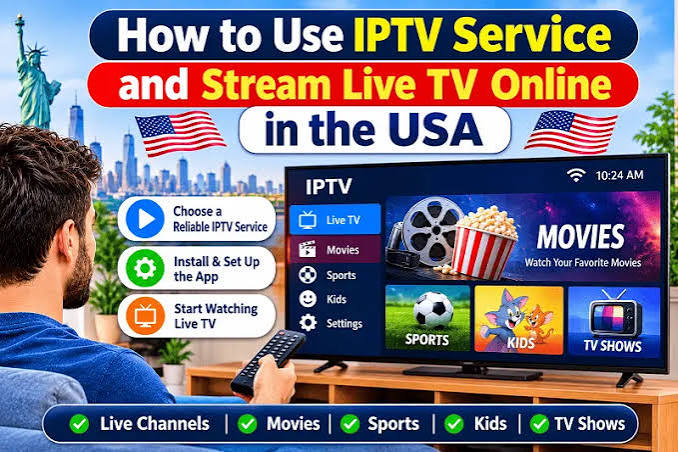
- Tell us your stick. Send a WhatsApp message with the model, for example Fire TV Stick 4K.
- Install the app. Open Downloader, enter the code we give you and install 8K VIP Player.
- Watch the free trial. We send a username and a password. Type them in and test your favorite channels.
- Keep the line. If you like it, choose 1, 3, 6 or 12 months and we extend the same line.
The steps with every screen explained are in the IPTV setup guide. You can also see the full offer on the home page.
Is your internet ready?
Before blaming the app, check the connection. The best IPTV for Firestick still needs about 10 Mbps for Full HD and 25 Mbps for 4K, measured at the TV and not next to the router. Run a speed test on the stick itself and write down the number. If it is low, move the router closer, switch to 5 GHz or use an Ethernet adapter.
Families who stream on several screens at the same time should add up what each screen needs. A game in the living room, a cartoon in the bedroom and a video call in the office all share the same line. When the speed is right, the best IPTV for Firestick opens a channel almost instantly.
6 ways to make your stick faster
- Restart it once a week. Hold Select and Play together for a few seconds, or unplug it for a minute.
- Use the HDMI extender that comes in the box. It moves the stick away from the back of the TV and improves the Wi-Fi signal.
- Choose 5 GHz Wi-Fi if your router offers it.
- Remove apps you never open. Free memory makes long lists load faster.
- Use the original power adapter instead of the USB port on the TV.
- Keep only your packages. Ask us to hide countries you never watch, and the list opens in a blink.
These six habits cost nothing, and they often make a bigger difference than buying a new device. Even the best IPTV for Firestick needs a healthy stick to shine.
Keep reading: once the stick is ready, compare the best IPTV apps to pick a player, and see why a 1 month IPTV subscription is a sensible first step.
Firestick questions
What is the best IPTV for Firestick in 2026?
A stable service with a light app. We recommend testing ours with 8K VIP Player on your own stick, free, before you decide.
Does it work on the cheapest Firestick?
Yes. It runs on the Lite and HD models too. Long lists load a little slower, so we keep only the packages you watch.
Do I need a 4K stick for 4K channels?
Yes. To see 4K you need a 4K stick, a 4K TV and around 25 Mbps of internet speed.
Is 8K VIP Player in the Amazon store?
You install it through the Downloader app with a short code that we send you. It takes about two minutes.
Why does my stick buffer?
The usual causes are weak Wi-Fi, too many apps in memory or a busy server. Restart the stick, move closer to the router and tell us if it continues.
Can I use the same line on my stick and my smart TV?
Yes, you can set it up on both. Tell us your devices and we explain how it works.
Do I need a VPN on the stick?
No. VPN protection is already built into our server. If you use your own VPN, the service works with it too.
How do I find the MAC address on a Firestick?
Apps like IBO Player and BOB Player show it on their first screen. With 8K VIP Player you do not need it at all.
Will an update delete my channels?
No. Your line is stored on our side. If an app is ever removed, you install it again and log in.
Can I move my line to a new stick?
Yes. Install the app on the new stick and log in with the same details, or message us and we help.
How much does it cost?
From $14 for one month to $59 for twelve months, and the yearly plan includes one extra month free.
The verdict on the best IPTV for Firestick
Buy the stick that fits your TV, with a 4K model for the main screen if you can. Start with 8K VIP Player because it is the simplest, and switch to TiviMate later if you want more control. Above all, judge the service on a busy evening, not on a promise.
That is why we never ask for money first. You test the best IPTV for Firestick on your own stick, with your own internet, on the channels your family watches. If it passes, you keep it. If not, you owe nothing.
Send your Firestick model and start watching in minutes.
Set it up with me on WhatsApp